

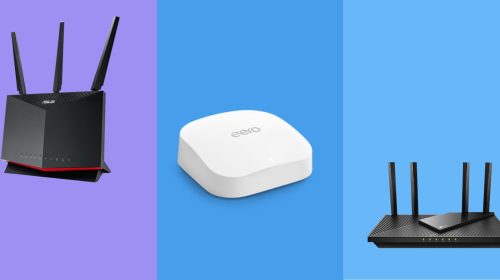
Finding a reliable router on a tight budget is easier than it used to be, thanks to the rise of affordable Wi-Fi 5 and Wi-Fi 6 models. Even under $80, you can get solid performance for streaming, gaming, and managing multiple devices—if you know what to look for. The key factors to focus on are speed standards (Wi-Fi 5 vs Wi-Fi 6), coverage area, and stability under load.
When comparing options, resources like best Wi-Fi routers under 80 help simplify the selection process by highlighting value-focused models that balance performance and price. Still, understanding the core specs will help you choose a router that fits your home and usage needs.
Table of Contents
ToggleWhat You Can Expect From Routers Under $80
Routers in this price range are designed for everyday internet use rather than extreme performance. However, modern budget routers are surprisingly capable.
Typical performance includes:
- Smooth HD and 4K streaming on multiple devices
- Stable browsing and video calls
- Casual online gaming with low to moderate latency
- Support for 10–30 connected devices in most cases
Most models in this category offer dual-band connectivity, which splits traffic between 2.4GHz and 5GHz bands for better stability and speed distribution.
Speed and Wi-Fi Standards: Wi-Fi 5 vs Wi-Fi 6
One of the most important decisions is whether to choose Wi-Fi 5 (AC) or Wi-Fi 6 (AX).
Wi-Fi 5 (AC routers)
These are still common in budget routers and offer solid performance for basic households.
- Speeds typically range from 300 Mbps to 1,750 Mbps
- Good for streaming, browsing, and light gaming
- Lower cost and widely available
Wi-Fi 6 (AX routers)
Wi-Fi 6 is newer and more efficient, especially in busy households.
- Faster real-world performance and better stability
- Improved handling of multiple devices
- Better efficiency for smart home setups
Even entry-level Wi-Fi 6 routers under $80 can deliver strong AX1800-class performance suitable for small homes or apartments.
Coverage: How Far Can Budget Routers Reach?
Coverage is another key factor, especially if you live in a larger home or have thick walls. Most routers under $80 are designed for:
- Small apartments: excellent coverage with no dead zones
- Medium homes: decent coverage with optimal placement
- Large homes: may require extenders or mesh systems
Wi-Fi 6 models generally perform better in crowded environments and can maintain stable connections across more devices without slowing down.
Reliability and Real-World Stability
Reliability matters more than peak speed. A router that consistently delivers stable connections will always outperform one that fluctuates under load.
Key reliability features to look for:
- Dual-band support (2.4GHz + 5GHz)
- MU-MIMO for handling multiple devices
- WPA3 security for safer connections
- Good heat management to avoid throttling
Some budget routers even include advanced features like beamforming, which helps direct the Wi-Fi signal toward connected devices for better stability.
Best Use Cases for Budget Routers
Routers under $80 are ideal for:
- Students and small apartments
- Basic home offices
- Streaming Netflix, YouTube, and other media
- Light online gaming and browsing
They are not designed for heavy-duty enterprise use or ultra-high-speed fiber plans above 1 Gbps, but they perform well for most everyday internet needs.
Key Buying Tips
Before choosing a router in this price range, consider:
- Your internet speed plan (no need to overspend if your plan is under 500 Mbps)
- Number of connected devices in your home
- Home size and wall thickness
- Whether you need Wi-Fi 6 for future-proofing
A well-chosen budget router can significantly improve your internet experience compared to ISP-provided hardware.
Final Thoughts
Wi-Fi routers under $80 offer excellent value for most households, delivering reliable speeds, decent coverage, and modern wireless features. While they won’t match high-end gaming or enterprise routers, they are more than capable of handling everyday internet usage with stability and efficiency.
By focusing on Wi-Fi standards, coverage needs, and device load, you can choose a router that keeps your home network fast, stable, and future-ready without overspending.

